
We’ve got some exciting news for the people in the Shoplazza platform: we’ve brought our integration to a whole new level.
If you run your store on Shoplazza and want a smooth, reliable affiliate program, good news: Affiliatly’s integration just got a major upgrade. Instead of or in addition to manually adding tracking code, you can now install our official Affiliatly app from Shoplazza’s App Store to enable deeper, more robust integration.
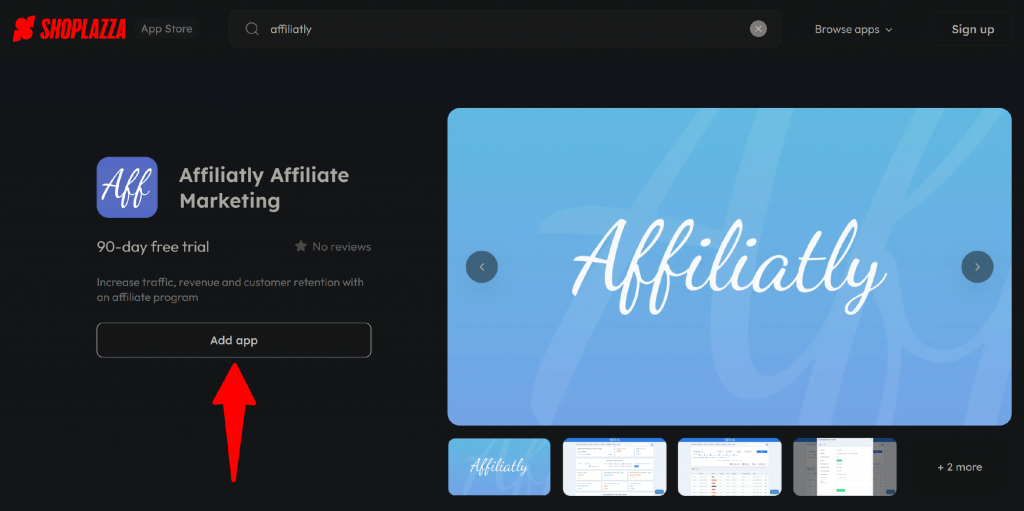
Let truth be told: the integration process still isn’t fully automated, you install the app and still need to manually add the tracking codes to your Shoplazza store but just keep reading! Because you’ll find out it’s definitely worth it.
The big leap: From manual scripts to full-app integration
Previously, integrating Affiliatly with Shoplazza meant manually copying Javascript tracking code into your checkout page (and optionally footer) to record affiliate referrals and purchases.
Now, with the new app approach:
- Store owners can simply install the Affiliatly app via Shoplazza’s Marketplace. Making the integration process much easier and less error prone.
- Once installed, you still embed the tracking code (as specified in this full integration guide) but the process is smoother thanks to the app providing guidance.
- The integration supports all standard tracking methods: linking, coupon-code tracking, etc., enabling affiliates to be rewarded properly for referred sales.
In short: Affiliatly moves from a “copy-and-paste script” model to a “click-and-install app + code embed” model reducing friction, especially for store owners who might not be comfortable tinkering with checkout page code manually.
What it brings to you
This update to a full app integration is more than just convenience, it unlocks real advantages for store owners, affiliates, and overall program performance.
– Simplified setup & reduced errors
Installing an app from the marketplace is often easier and less error-prone than manually editing templates or checkout code. This can prevent mistakes (like forgetting to insert code on all necessary pages), which could otherwise lead to lost referrals or untracked orders.
– Consistent, reliable affiliate tracking
With the official app, there’s a clearer, more standardized integration path. This helps ensure that visits, referrals, and purchases are tracked correctly, which means affiliates are credited properly and store owners get accurate data on conversions.
– Scalability & flexibility
As your store grows (more traffic, more affiliates, more products), a solid app-based integration helps scale without headaches. You’re less likely to run into issues than with manual scripting when your store structure or design changes.
Why it makes sense to install the App
Using the app version (rather than purely manual script-based tracking) is especially valuable if:
- You’re new to affiliate marketing and want the simplest, most foolproof setup.
- You or your team aren’t comfortable editing checkout templates or code.
- You plan to run a serious affiliate program with multiple affiliates, products, and higher order volume so you need reliability and consistency.
- You want to minimize potential tracking errors or lost referrals, and ensure better data & insights.
If your Shoplazza store is simple, with low order volume and few affiliates, manual integration might still work, but the app gives a safer, more upgrade-ready foundation, especially as you grow.
How to do it
- Go to your Shoplazza admin → open the App Store → search for “Affiliatly Affiliate Marketing” and install the app.
- After installing, copy the provided tracking code from your Affiliatly integration page (with your account ID) and paste it into Shoplazza’s checkout page settings (or footer as needed).
- Optionally configure tracking settings (link, coupon, email, etc.) in Affiliatly depending on how you want referrals to be tracked.
- Test the integration by simulating a referral (e.g.
?aff=1) and making a purchase. Then verify that visit and order appear in your Affiliatly dashboard (often within a few minutes).
Once that’s done, your affiliate program is up and you can start inviting partners, sharing your store link or coupon codes, and tracking results automatically.
You can review the full detailed guide of the integration process on our official documentation here.