
With the start of the new year we have made another step forward in improving Affiliatly. This update focuses mainly on UI and UX enhancements designed to make managing your affiliate program easier, faster, and more enjoyable. While these improvements may look subtle at first glance, they directly impact daily workflows for both merchants and affiliates.
Below you will find a detailed overview of what has changed and how these updates add value to your affiliate marketing experience with Affiliatly.
Custom button colors for a more branded affiliate experience
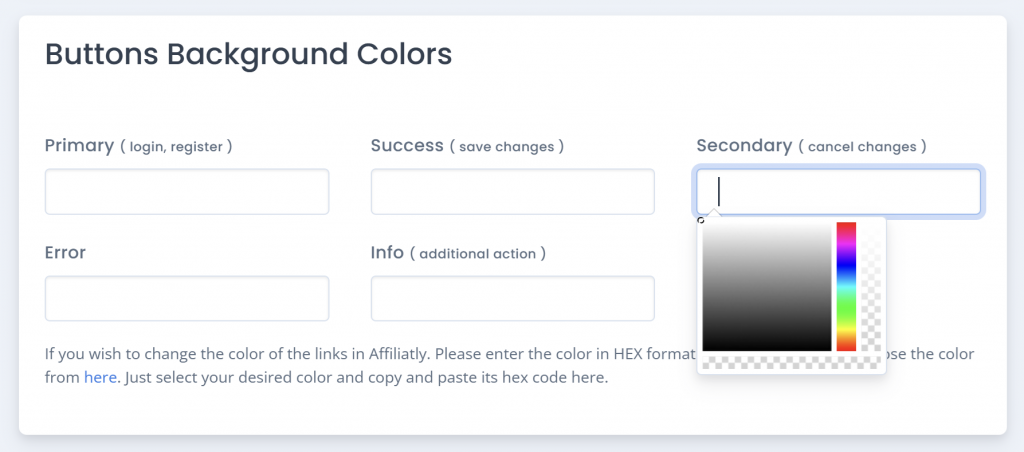
You can now customize button colors using the Look and Feel settings in Affiliatly. Brand consistency plays an important role in how your affiliate program is perceived. When affiliates log into a dashboard that visually aligns with your store, it creates a sense of trust and professionalism and reinforces your brand identity.
This update allows you to better match your affiliate panel with your website design, helping affiliates feel more connected to your business. You can configure these settings by navigating to Settings, then Customization, and opening the Look and Feel section where you can view or change the button styles.
You can configure this by going to Settings -> Customization -> Look & Feel -> Buttons Background Colours
Improved order search options for affiliates
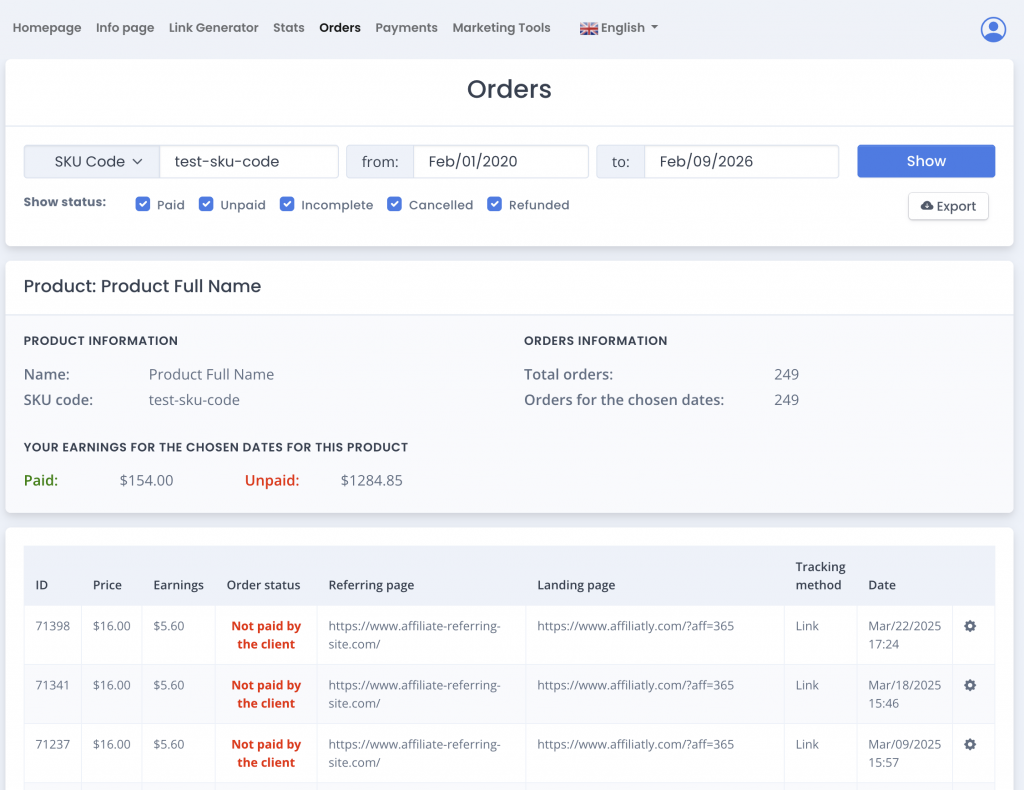
Affiliates can now search their referred orders using customer details, SKU, or order ID. This improvement makes it much easier for affiliates to track their performance and understand exactly which referrals generated commissions.
Inside the affiliate dashboard, under Orders, affiliates will see a new dropdown in the search bar. This allows them to quickly locate specific orders without scrolling through long lists, saving time and reducing confusion when reviewing earnings.
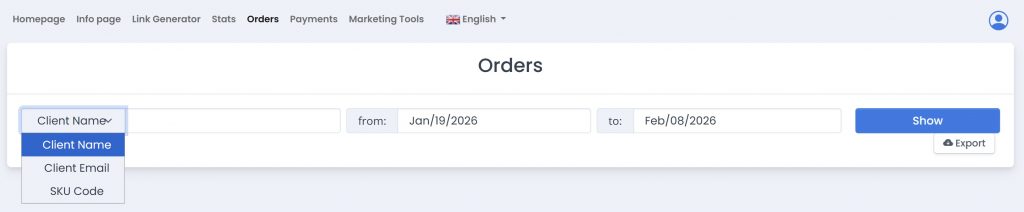
Note: for these options to be visible you need to enable the “Show customer info” checkbox in Settings > General > Show affiliates additional order info

Affiliates can see customer/SKU code information section in their Orders page
Another improvement to the affiliate’s interface looking to add more info, more awareness and better user experience based on the feedback we’ve received.
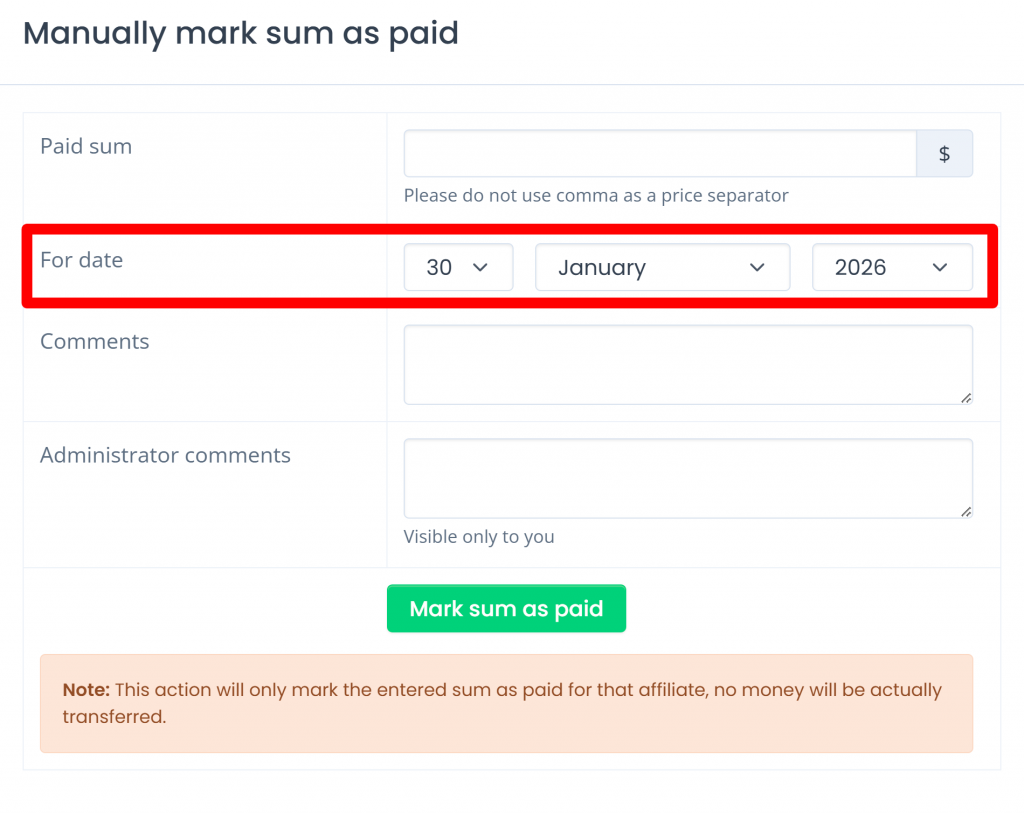
Automatic payment date prefill when managing affiliates
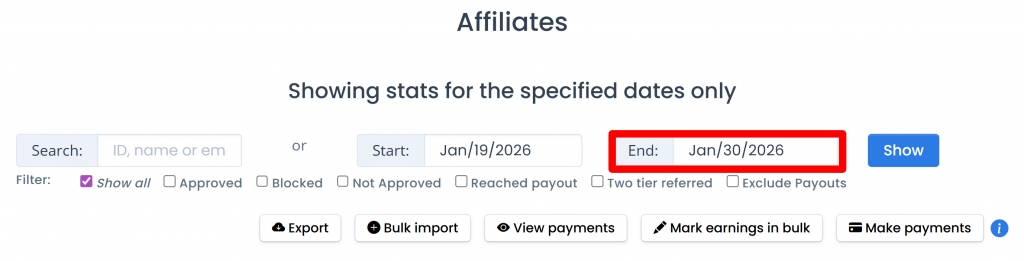
When an admin enters a “To” or “End” date on the Affiliates page, that date is now automatically prepopulated as the payment date inside the affiliate’s Earnings tab. The date remains active as long as the admin stays on the Affiliates page and does not remove the original end date.
This small but effective improvement helps reduce repetitive manual input and minimizes the chance of errors during payout preparation. It is part of our ongoing effort to streamline affiliate management tasks and save merchants valuable time.
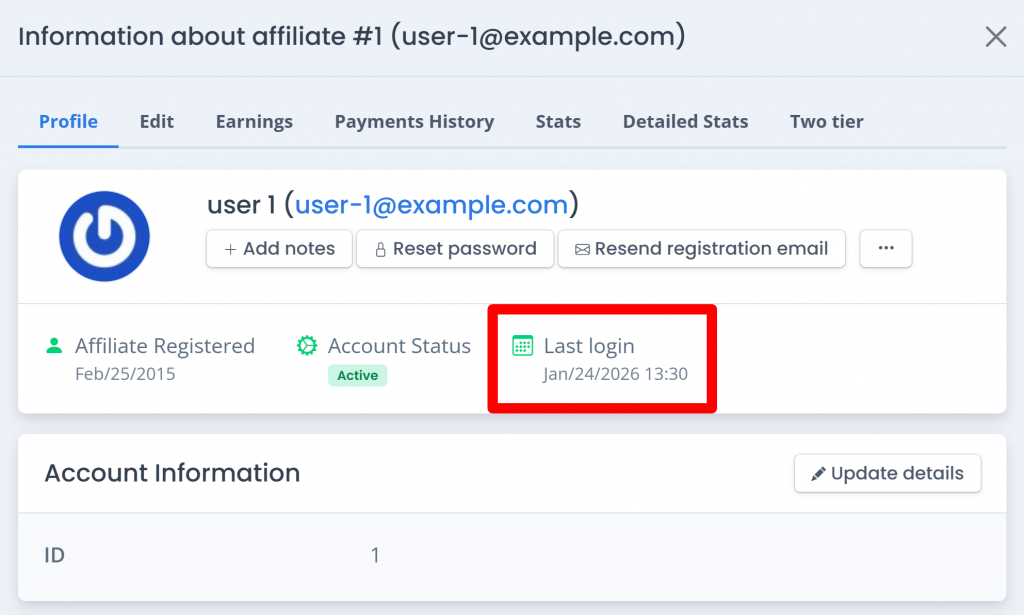
Last login date now visible in the affiliate profile modal
The affiliate profile window in the Affiliatly admin panel now displays the affiliate’s last login date. Monitoring affiliate activity is essential when evaluating engagement and performance. This added visibility allows you to quickly identify which affiliates are actively checking their stats and which ones may need follow up or encouragement.
Having this information readily available helps merchants make better decisions when managing and supporting their affiliate partners.
New check for duplicate earnings when Marking sum as paid and mark earnings in bulk
Now we check for duplicate earnings for Marking sum as paid in the affiliate details window and when Mark earnings in bulk.
Note that the duplicate check is not triggered for any other marked as paid earnings.
Here’s a quick recap on how it works:
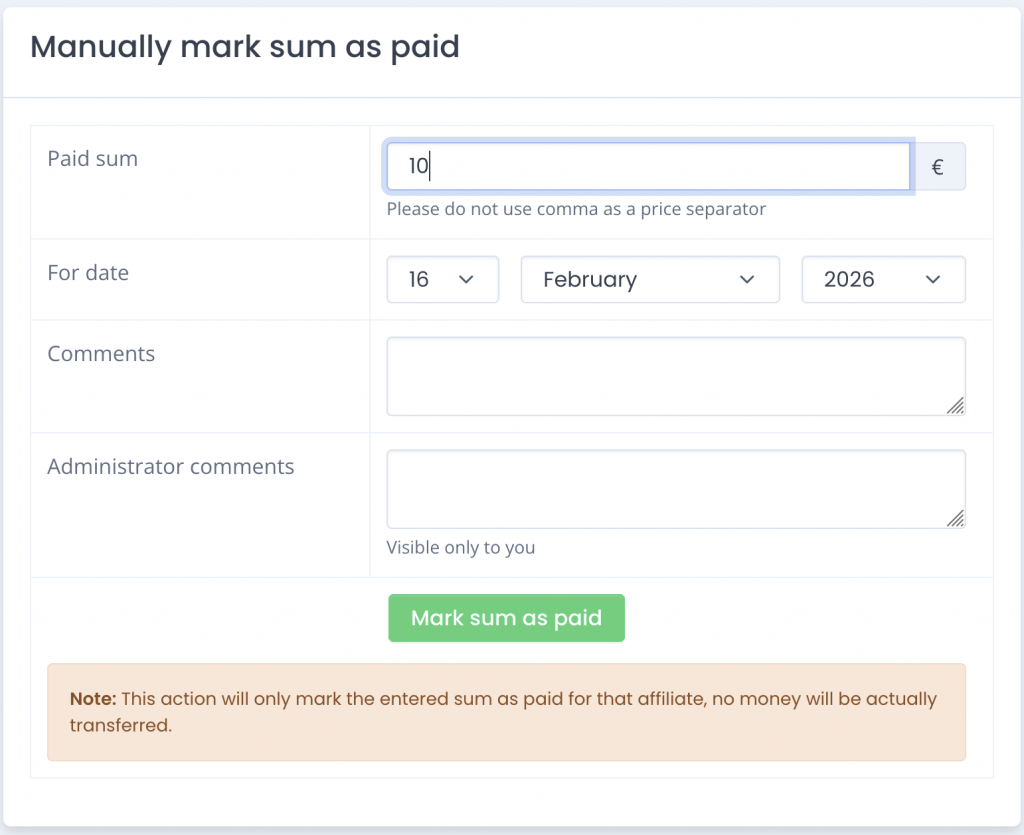
First, open the affiliate’s details window > tab Earnings and go to section “Manually mark sum as paid”. Then enter a payout to the affiliate, for this example we will mark a payment of 10 to the affiliate.
When save the payment you should see a Success message like this:
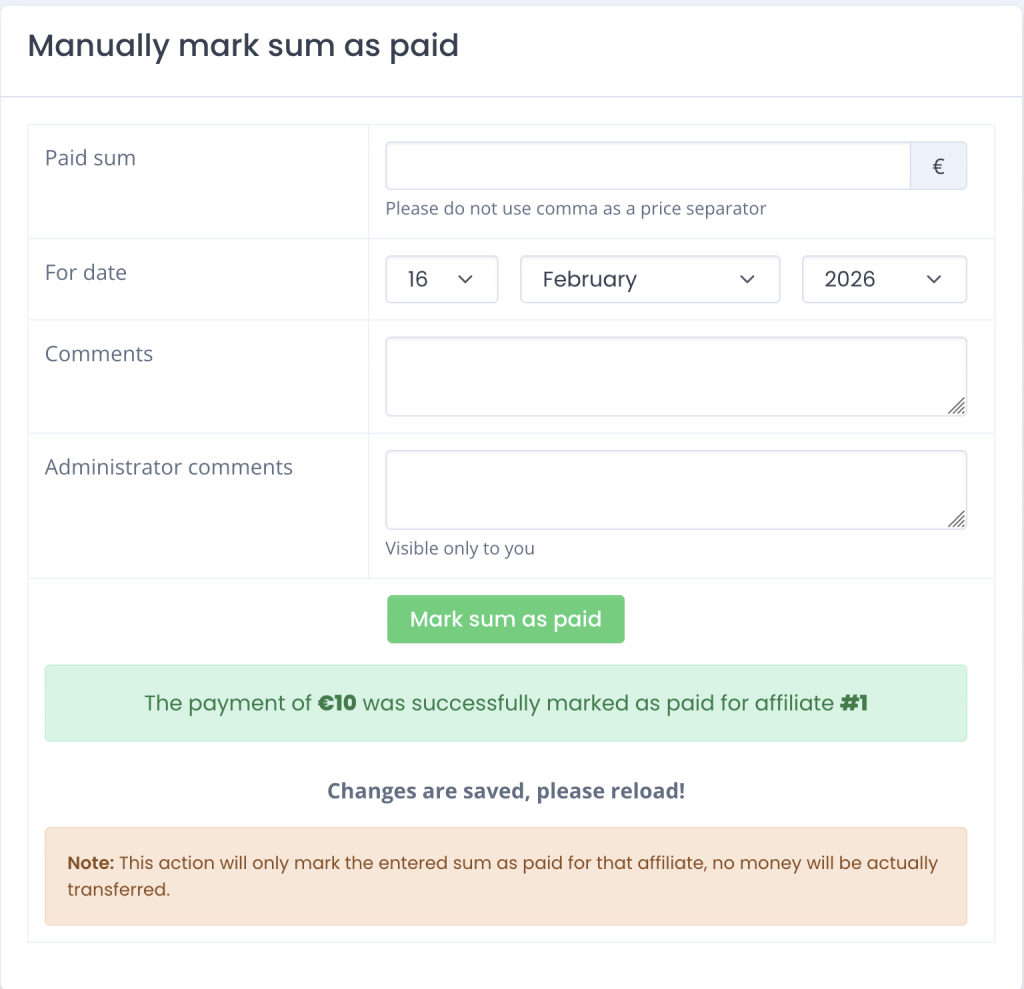
For the next step to reproduce this scenario, you must refresh the page and enter again 10 as a new payment and click on Save. This additional payment of 10 will act as the intended duplicate to trigger the warning.
And here’s the warning that will show up:
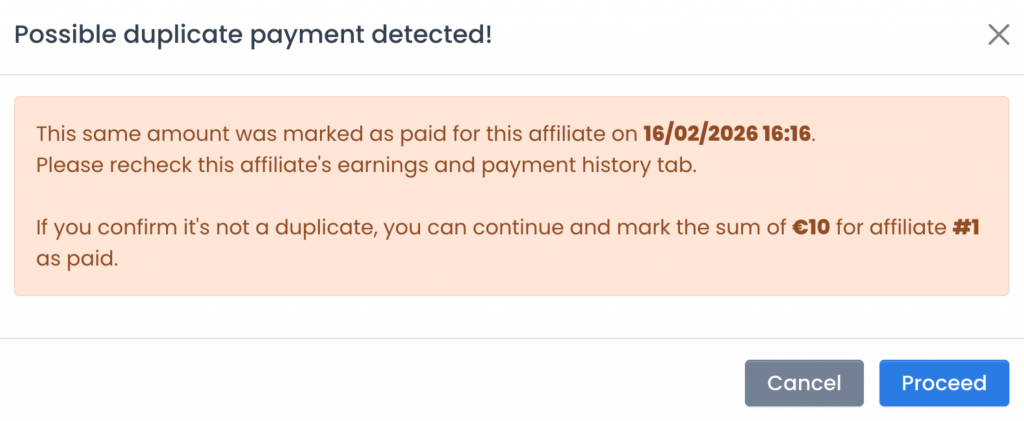
This check will go over all the payments entered the same affiliate for the last 15 days and if there is the same payout value already marked will show up this warning again.
As you can see on the screenshot the warning gives you the option “Proceed” so the payment gets marked and saved. Or if you are certain that the payment is valid, then click on “Cancel” and the payment will be cancelled.
These UI and UX improvements reflect our continuous commitment to making Affiliatly a powerful yet easy to use affiliate marketing platform. By refining everyday interactions and reducing friction, we aim to help merchants run more efficient affiliate programs while offering affiliates a smoother and more professional experience.